Plant doctor workflow for iPhone
Your plant looks wrong. Start with the clues.
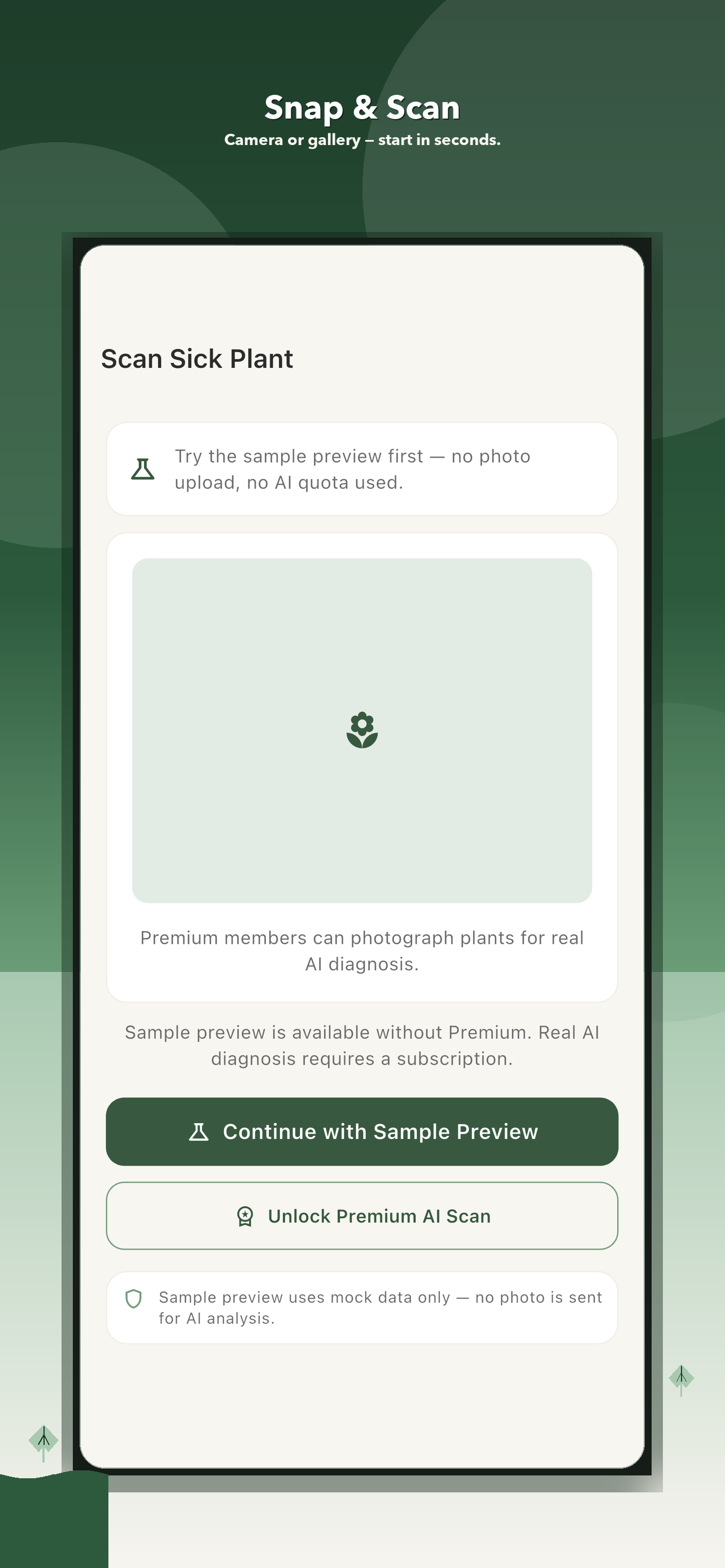
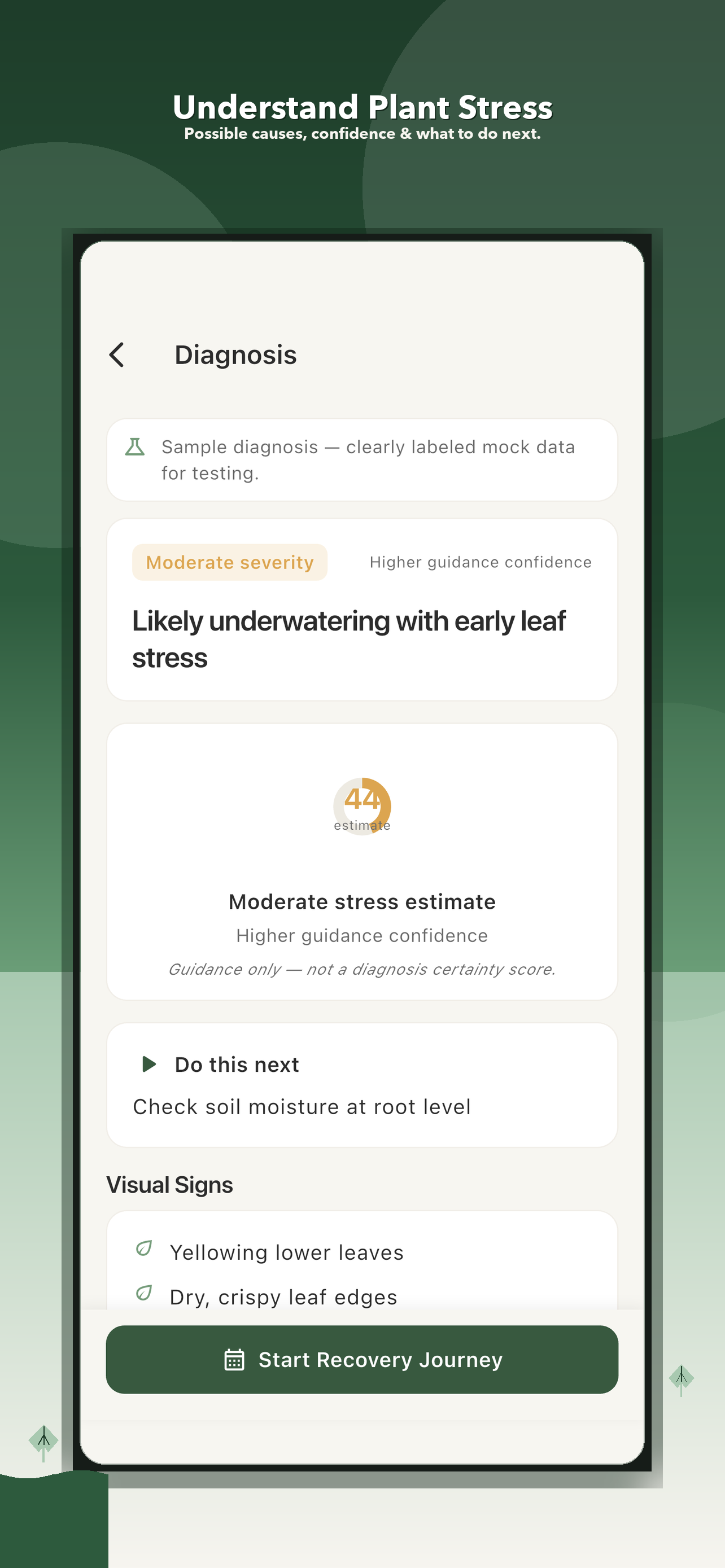
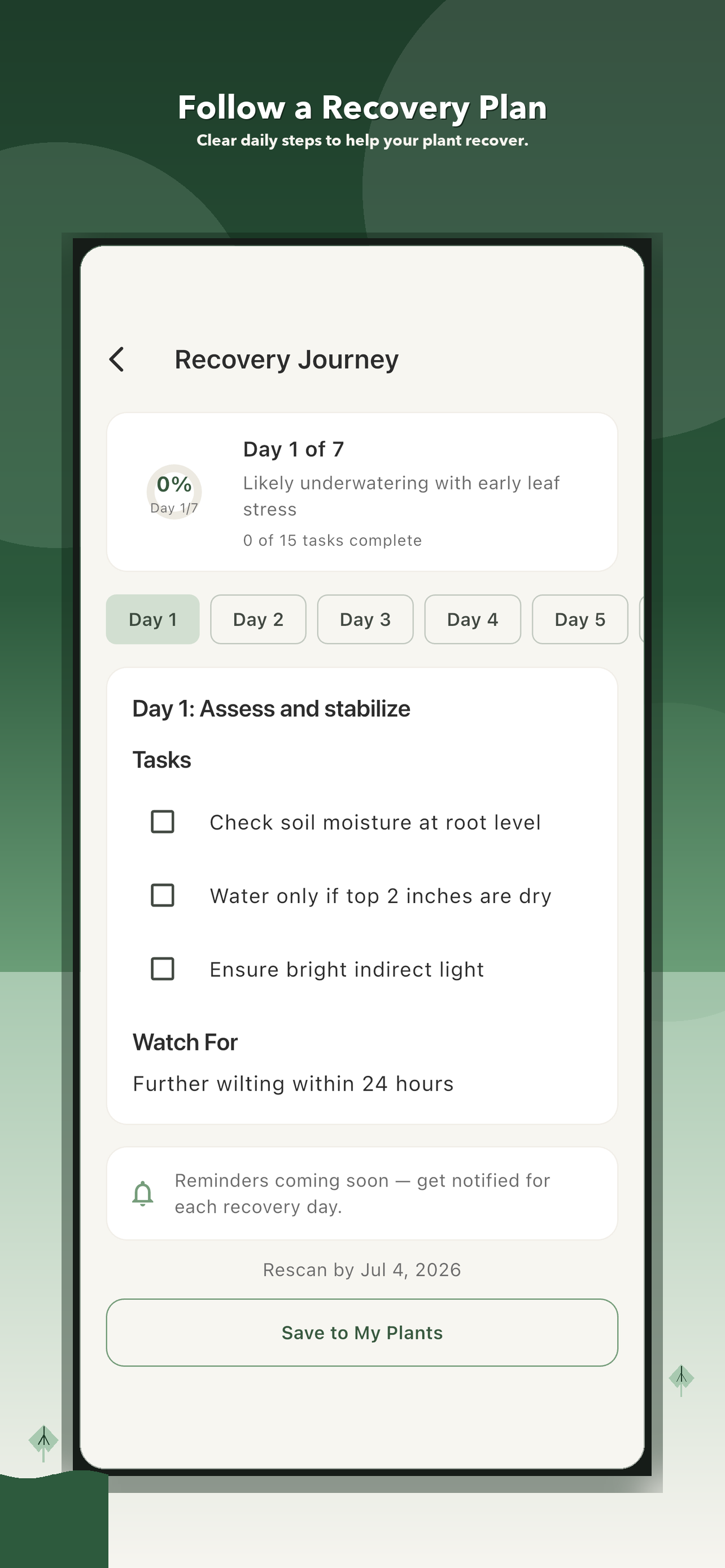
PlantGuard AI turns a worried plant moment into one organized workflow: capture the plant, add visible symptoms, review possible causes, follow care steps, and compare progress later.
Free to download with a sample preview. Premium is required for real AI plant checks.
Yellow leaves
Brown spots
Wilting
Watering stress
Photo checks
Symptom questions
Recovery plans
Plant history
One photoStart with what you can see
Focused questionsAdd water, light, soil, and pest context
A saved planReturn later and compare progress
How it works
From visible clue to follow-up plan
PlantGuard AI is built for everyday plant owners who want clearer next steps when leaves turn yellow, brown spots appear, growth slows down, or watering feels confusing.
01
Capture what you see
Use a photo and simple symptom questions so the app has better context before suggesting next steps.
02
Make sense of the clues
Answer focused symptom questions and review possible causes in clear language before changing the routine.
03
Follow recovery steps
Keep the next care actions organized instead of jumping between guesses, notes, and old photos.
04
Return and compare
Save plant profiles, diagnosis history, and care progress so every plant has its own story.
Built for the follow-up
Your plant-care story should not disappear into your camera roll.
PlantGuard AI keeps the original check, care steps, notes, and plant history connected. That makes it easier to remember what changed and avoid piling several care changes on top of each other.
- One profile and history for each plant
- Recovery steps that stay easy to revisit
- A sample preview before a premium AI check
- Clear wording designed to support—not replace—your judgment
Before you change everything
Check these four things first
A useful plant check connects the leaf pattern to the plant's recent conditions. PlantGuard keeps those clues together.
01Soil moisture
Look deeper than the dry surface and notice how long the pot stays wet.

02Light changes
Record a recent move, stronger sun, a dark corner, or a seasonal shift.
03Leaf pattern
Compare old and new leaves, edges and centers, and whether spots are spreading.
04Recent care
Note watering, fertilizer, repotting, temperature, and pest clues.
Plant-care library
Plant problems people search for
Use these quick guides when you want to understand what to check first.
How to check a sick houseplantA calm first pass before changing water, light, or soil.
Yellow leaves on houseplantsCommon checks for watering, light, nutrients, pests, and stress.
Brown spots on plant leavesWhat to inspect before trimming leaves or changing care.
Overwatered plant signsCheck moisture, drainage, leaves, and recent care before watering again.
Drooping plant checklistWhy wilting does not always mean a plant needs more water.
Root rot warning signsReview the moisture, drainage, root, and care pattern before acting.
Plant pest cluesWhat to photograph when you see webbing, residue, dots, or damaged growth.
Plant recovery logUse repeatable photos, dated care notes, and one change at a time.
Plant light stress checklistRecord window direction, timing, distance, and recent moves before relocating the pot.
Drooping after repottingSave the pot, soil, water, position, and a repeatable day 0 photo before stacking more changes.
Curling houseplant leavesBuild a five-view Curl Map before changing water, light, humidity, fertilizer, or soil together.
New houseplant leaves growing smallStart an Unfurl Log with the growth stage, previous-leaf pair, whole-plant pattern, recent conditions, and a repeat view.
Brown leaf tips on houseplantsBuild a Dry Edge Ledger with the tip pattern, whole-plant view, moisture check, room context, and a repeat photo.
White stuff on houseplant soilRecord appearance, location, moisture, recent inputs, and a repeat view before identifying or treating unknown material.
Soft stem near soilRecord exact location, firmness, moisture, spread, and recent handling before cutting or repotting.
Houseplant dropping leavesBuild a Leaf-Drop Timeline with former position, before-drop appearance, pace, whole-plant pattern, and recent changes.
Roots growing out of the potLeave the visible root untouched and compare the boundary view, pot stability, dry-down, growth, and recent timing.
Water runs through potting soil too fastMap the edge gap, pour path, relative pot weight, center moisture, and next normal watering before assuming the root zone is wet.
Holes in houseplant leavesBuild a Leaf Damage Map with the edge, leaf age, underside, recent context, and a dated repeat before treating.
Mushrooms in houseplant soilProtect children and pets, then record appearance, container, moisture timing, and a dated plant-and-pot repeat.
Sticky houseplant leavesMap the exact residue location, compare both leaf surfaces, inspect hiding places, note recent contact, and repeat before treating.
Plant care tracking appWhy photos, notes, and recovery history make plant care easier.
Clear expectations
Helpful guidance without miracle claims
Try the workflowExplore a sample preview before deciding whether premium AI checks fit your plant-care routine.
Observe over timeUse notes and follow-ups to compare what changes instead of treating one result as certainty.
Escalate when neededFor severe, spreading, or safety-related problems, consult a qualified local plant professional.
Questions
PlantGuard AI FAQ
Can I try the app workflow first?
Yes. Use the sample preview to explore the symptom questions and recovery-plan flow. Real AI diagnosis requires PlantGuard Premium.
Is PlantGuard AI a guaranteed diagnosis?
No. It is a plant-care companion that helps organize visible signs, possible causes, care steps, and history. Keep observing the plant and seek local expert help for serious or spreading problems.
Which devices are supported?
PlantGuard AI is currently promoted as an iPhone app and is available through the Apple App Store.
For app directories, blogs, and creators
Need a quick product summary, screenshots, QR code, or App Store link? The press kit keeps the promotion assets in one clean place.
Open press kit
Download PlantGuard AI
Open the App Store link or scan the QR code from another device.
Free to download. Sample preview included; premium required for real AI checks.